 SentnelOps
The five layers
SentnelOps is five layers, each useful on its own and stronger together. This page tells you what each layer genuinely buys you — and, just as plainly, what it does not. Every limitation here is real; most of them are also the reason the next layer exists.
Layer 1 — Agent identity
Full Layer 1 documentation: overview · how it works · guides · reference →
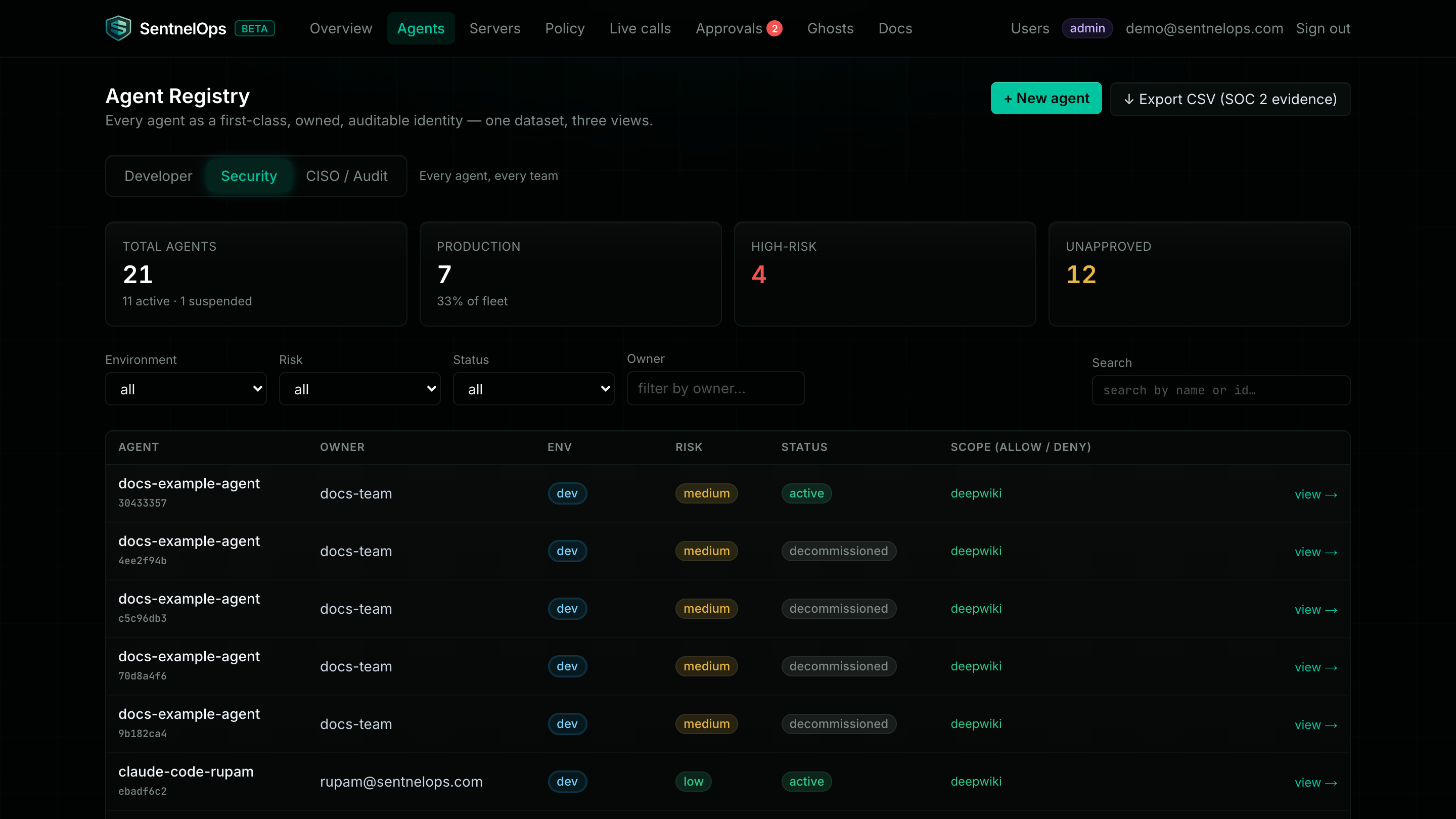
Every AI agent gets a named, owned identity: who it is, who is responsible for it, which environment it runs in, and a credential that can be revoked from a web page. Registration is one API call or one dashboard form, and it changes nothing about how your agent runs — identity is a directory, not a checkpoint. The registry is the page you open when someone asks "which AI agents exist here, and who owns them?"
| Advantages | Limitations |
|---|---|
| Every agent is owned, named, and revocable — no more anonymous software with production credentials. | Registration is voluntary. An unregistered agent is not stopped by identity alone — catching those is what ghost detection and the proxy (layer 3) are for. |
| Onboarding is one API call or one dashboard form — no infrastructure change, no traffic change. | Tokens are HS256 shared-secret JWTs today. Asymmetric / CIMD-style protocol identity is on the roadmap, not in the product. |
| Revocation is enforced per token and takes effect in seconds — rotate or suspend from the dashboard. | The registry is only as complete as your team's discipline in registering agents. Identity gives you a directory, not a guarantee. |
| Works without touching your traffic — you can adopt identity alone before routing anything through the proxy. | Because it doesn't touch traffic, identity by itself observes and enforces nothing. It answers “who exists?”, not “what are they doing?” |
Layer 2 — Lifecycle & policy
Full Layer 2 documentation: overview · how it works · guides · reference →
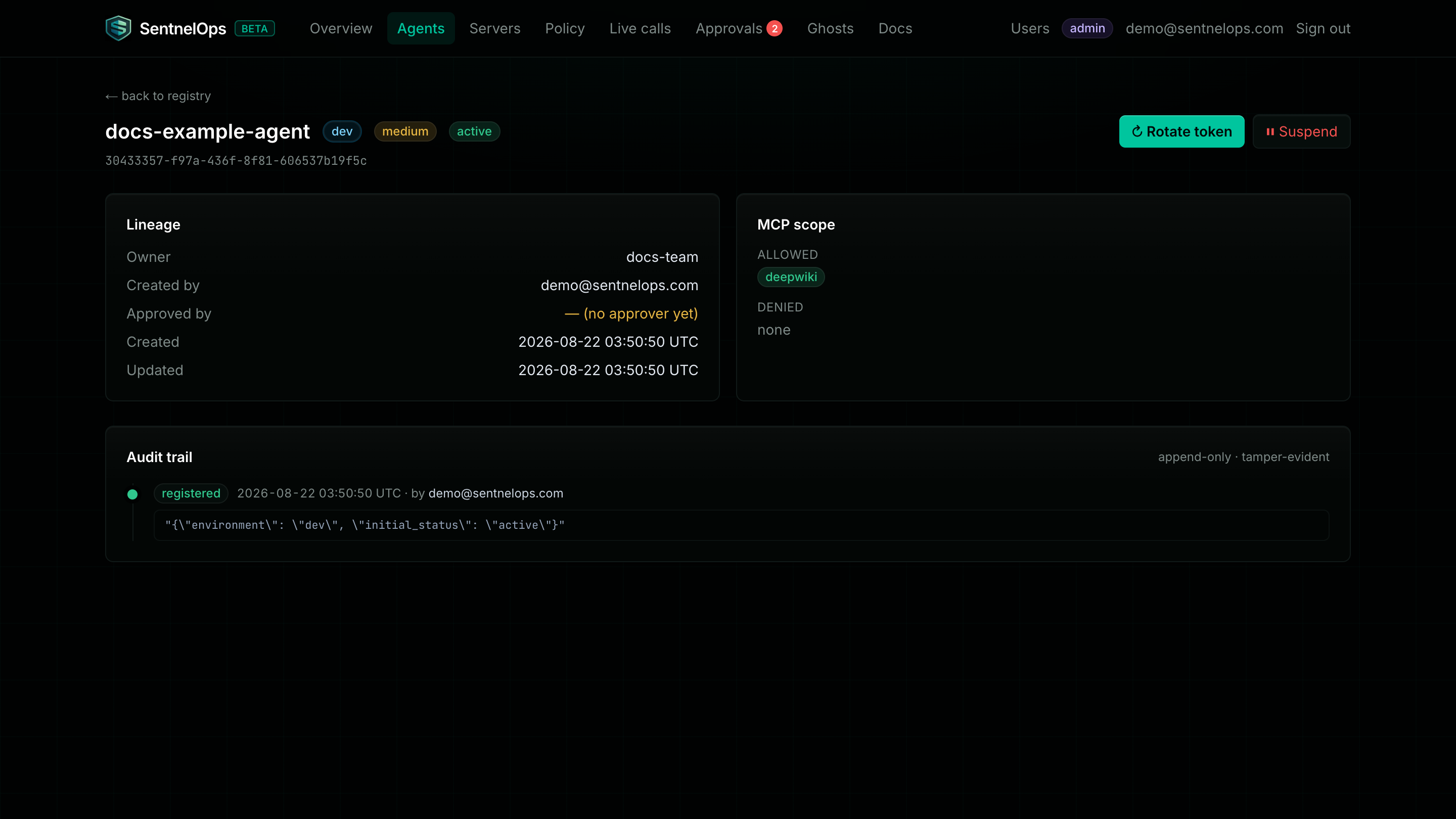
Identity says who an agent is; lifecycle and policy say what it is allowed to become and to do. Production agents need a second person's approval before they run — the API itself refuses to let a creator approve their own agent. What each agent may call is written as YAML policy — your org edits its own from the dashboard's Policy page, overlaying the platform default, and a saved change is live within seconds. Risk-based review cadences force someone to periodically re-justify each agent's access instead of letting permissions rot.
| Advantages | Limitations |
|---|---|
| Segregation of duties is enforced by the API, not by convention — the person who creates an agent can never self-approve it. | A policy is only as correct as you write it. A rule you forgot is a call that passes. The deny-unlisted default narrows this risk, but does not remove it. |
| Policy is plain YAML: your org's own document, edited and validated on the Policy page, live within seconds — and still diffable text you can keep in git. | Approvals require humans to be reachable. Timeout = deny, so an unstaffed approval queue blocks legitimate high-risk calls. That is by design — but it is your queue to staff. |
| Risk-based review cadence fights permission rot — high-risk agents come up for re-review sooner. | Production-approval friction is real and intentional. If your team wants zero-friction production launches, this layer will feel like a speed bump — that's the point. |
Layer 3 — Observation: the MCP gateway
Full Layer 3 documentation: overview · how it works · guides · reference →
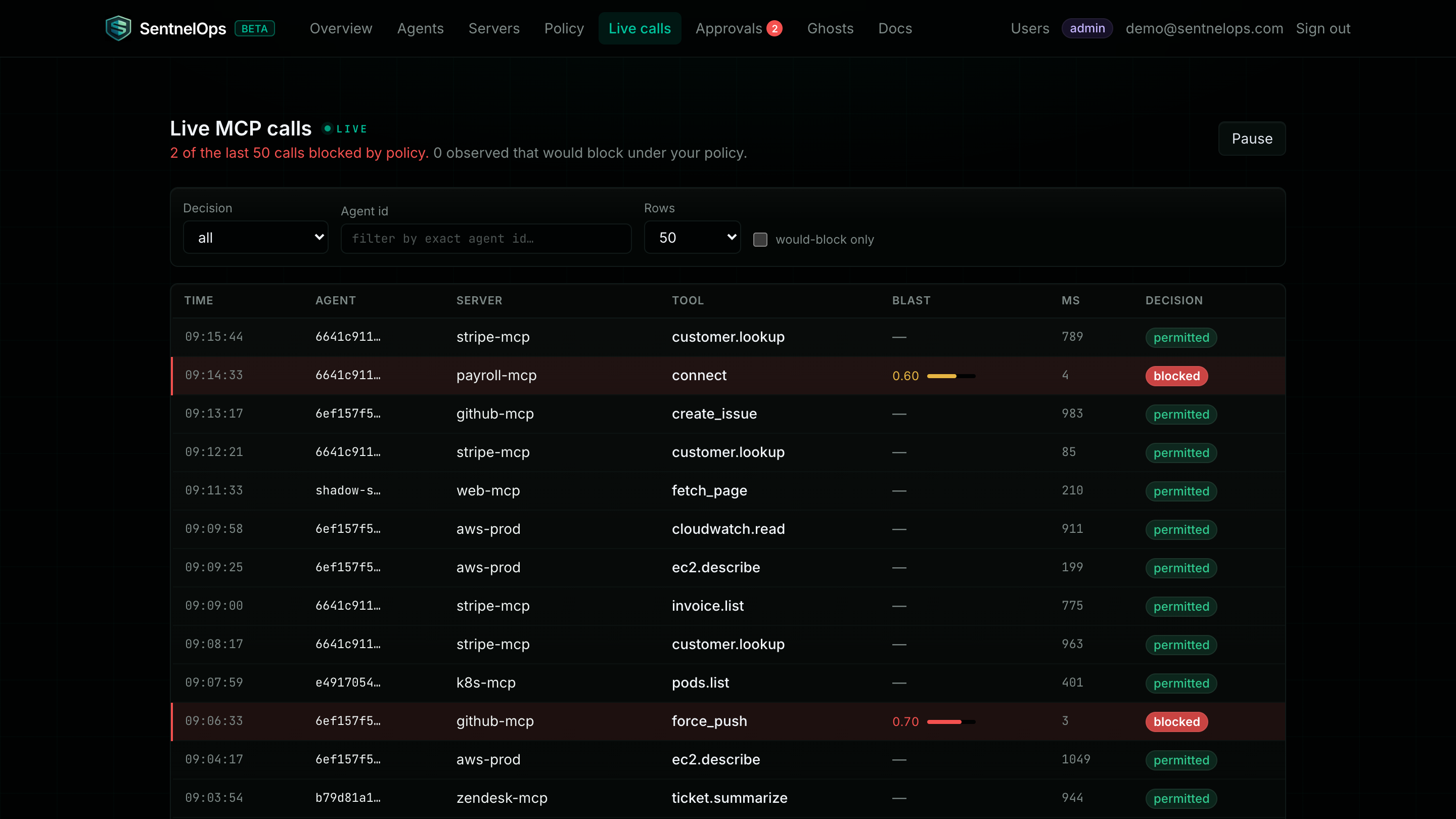
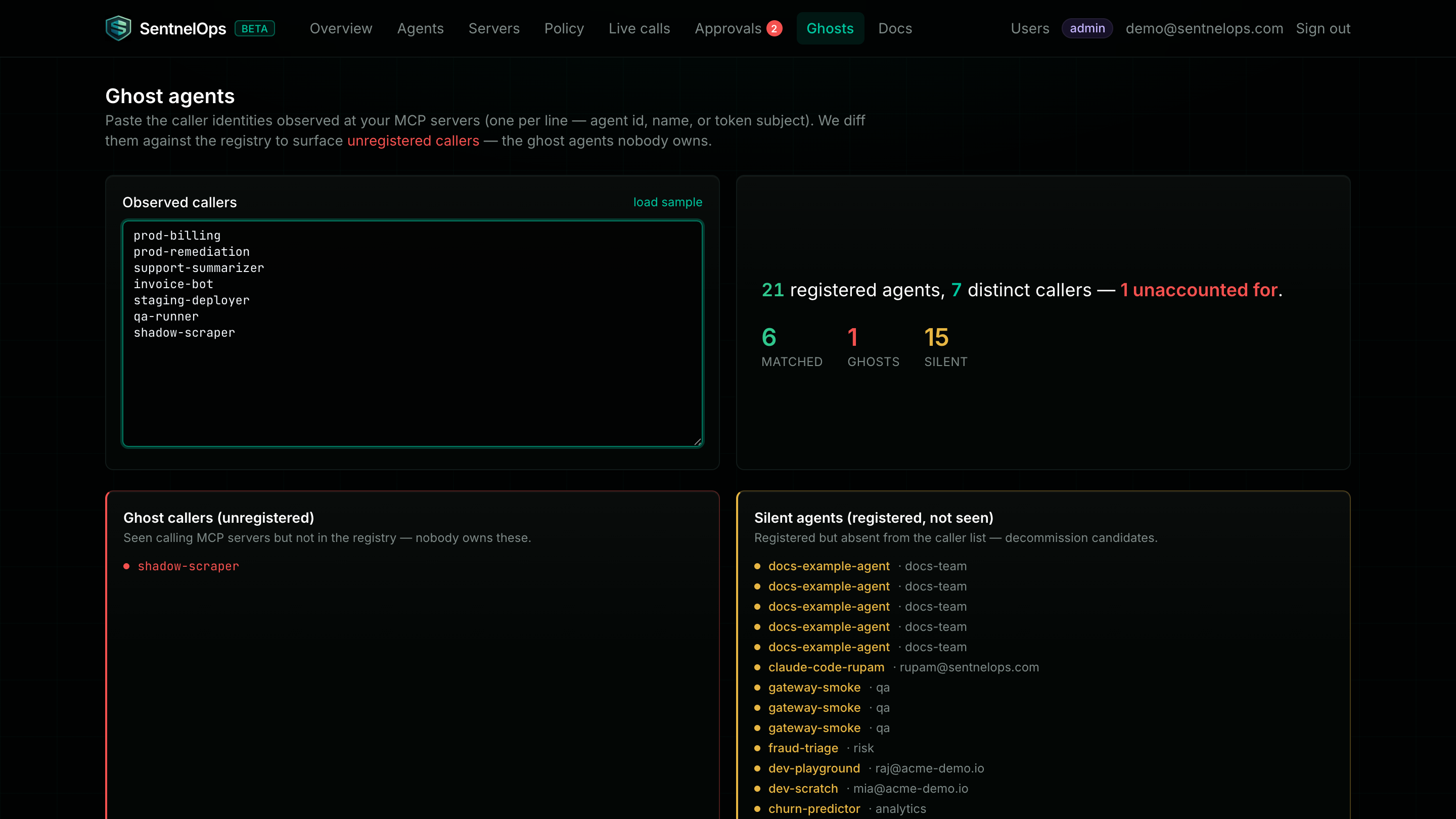
The gateway is the layer that sees what agents actually do. You change one line of client configuration — the MCP server URL — and every tool call flows through SentnelOps: identified, logged, and checked against policy in observe mode, where nothing is ever blocked. The live feed shows each call as it happens; would-block rows preview what enforcement would do against your real traffic, at zero risk. Ghost detection compares who is actually calling your servers against who is registered — and names the callers nobody accounted for.
| Advantages | Limitations |
|---|---|
| One config line to adopt — the MCP URL in your client. No agent code changes, no SDK required. | The gateway sits in the data path. If it is unreachable, proxied agent calls fail until it is back. Read Trust & reliability before you route production traffic through it. |
| About 2 ms of p99 added latency — measured, not estimated. | It sees tool-call parameters, not just metadata. If that matters for your data, deploy it in your own VPC (self-hosted) so nothing crosses your boundary. |
| Would-block telemetry validates your policy against real traffic with zero risk before you ever enforce. | It only governs traffic that is routed through it. An agent pointed directly at an upstream bypasses the gateway entirely — ghost detection tells you this is happening, but cannot stop it. |
| Ghost detection finds the callers nobody registered — the difference between who you think is calling and who actually is. | The agent's Authorization header is currently forwarded to the upstream, so upstreams that need their own bearer auth conflict with the proxy. Per-upstream header injection is on the roadmap. |
Layer 4 — Runtime enforcement & approvals
Full Layer 4 documentation: overview · how it works · guides · reference →
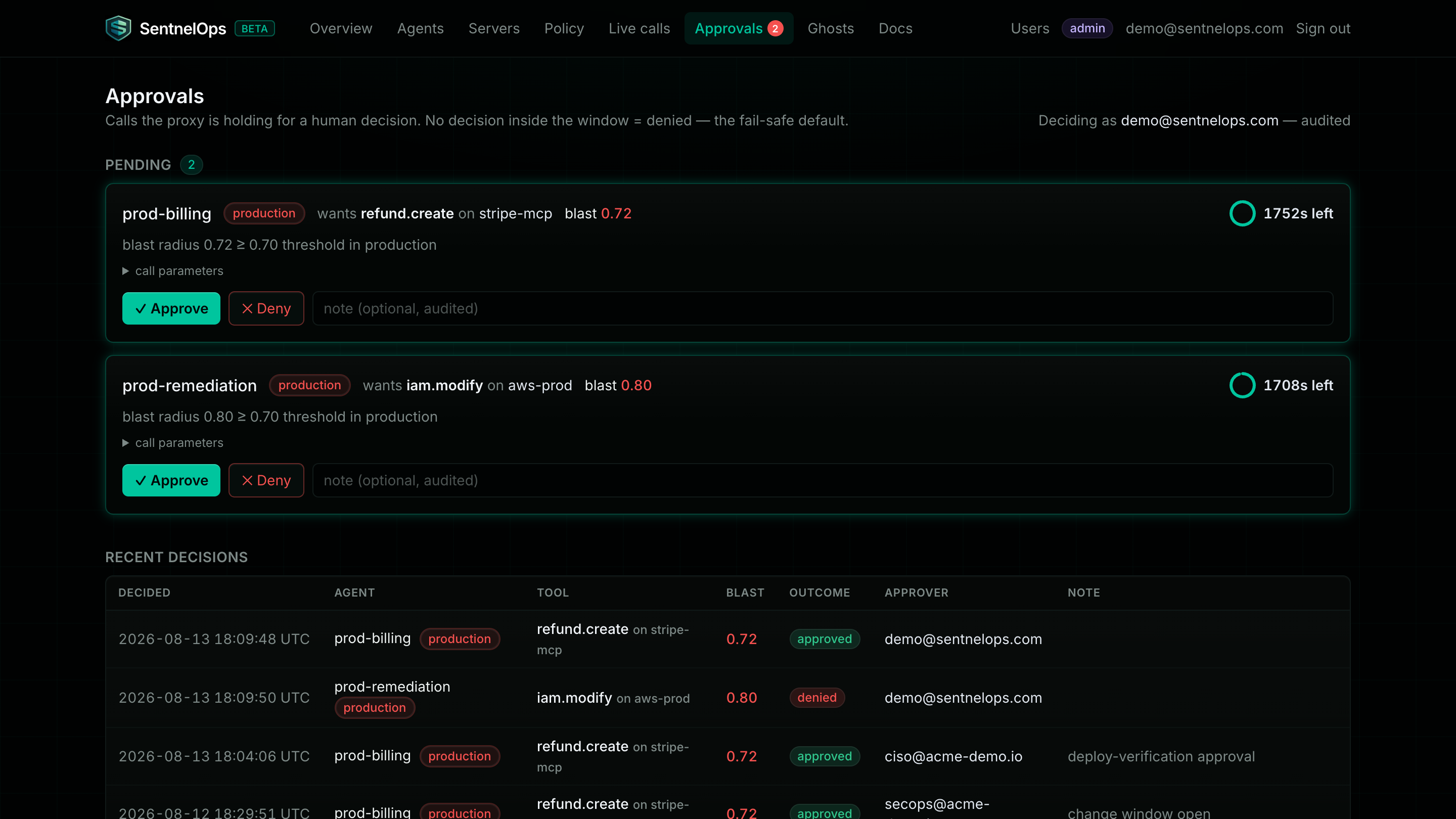
Enforcement is where observation grows teeth — gradually, and on your terms. You flip from observe to enforce per environment and per rule, never all-or-nothing: enforce in dev while production still observes, or enforce one dangerous tool while everything else logs. A blocked call never reaches the upstream and comes back as a machine-readable 403 the agent can handle. The highest-risk calls can be held for a human: an approver gets a live countdown, and if nobody answers in time the call is denied — never silently allowed.
| Advantages | Limitations |
|---|---|
| Graduated observe → enforce per environment and per rule — you never flip one big switch for everything. | A wrong enforce-mode policy blocks legitimate traffic. That is exactly why observe-first exists: run every rule in observe until its would-block rows look right. |
Blocked calls never reach the upstream and return a machine-readable 403 the caller can act on. | Human approval adds real seconds to high-risk calls while a person decides. If a call can't tolerate that, don't put an approval rule on it. |
| Timeout = deny is fail-safe: an unanswered approval can never turn into an implicit yes. | The default fail mode for policy-engine errors is OPEN — the call passes and a warning is logged, because availability comes first by default. Security-critical environments must explicitly set fail_mode: closed. If you don't choose, you have chosen open. |
| Approval decisions are claimed atomically and work across replicas — two approvers, or an approver racing a timeout, can never double-decide. | Enforcement only applies to traffic routed through the gateway — layer 3's bypass limitation applies here with higher stakes. |
Layer 5 — Humans
Full Layer 5 documentation: overview · how it works · guides · reference →
There is a quiet fifth layer: the people operating the other four. SentnelOps gives humans the same discipline it gives agents — named accounts with roles (viewer, developer, security, admin), so the intern can watch the feed but not suspend an agent. The three credential types — user sessions, agent tokens, and org API keys — are mutually unusable: an agent token can never open the dashboard, and a user session can never call the proxy. And a last-admin guard means you cannot demote or delete the only admin — an org can't lock itself out.