 SentnelOps
What is SentnelOps?
A plain-English introduction. No code, no jargon — just what SentnelOps is, why it exists, and where to go next.
The problem, in three sentences
A company gives an AI assistant access to its systems — the code repository, the customer database, the deployment tools — because it makes everyone faster. Six months later someone asks a simple question: "what exactly has that AI touched, and who said it could?" Nobody can answer, because the AI never signed in anywhere, never appeared in any employee directory, and left no trail anyone can read.
SentnelOps exists to make that question answerable — before an auditor, a customer, or an incident forces it.
Three ideas, three everyday analogies
| The piece | The analogy | What it means |
|---|---|---|
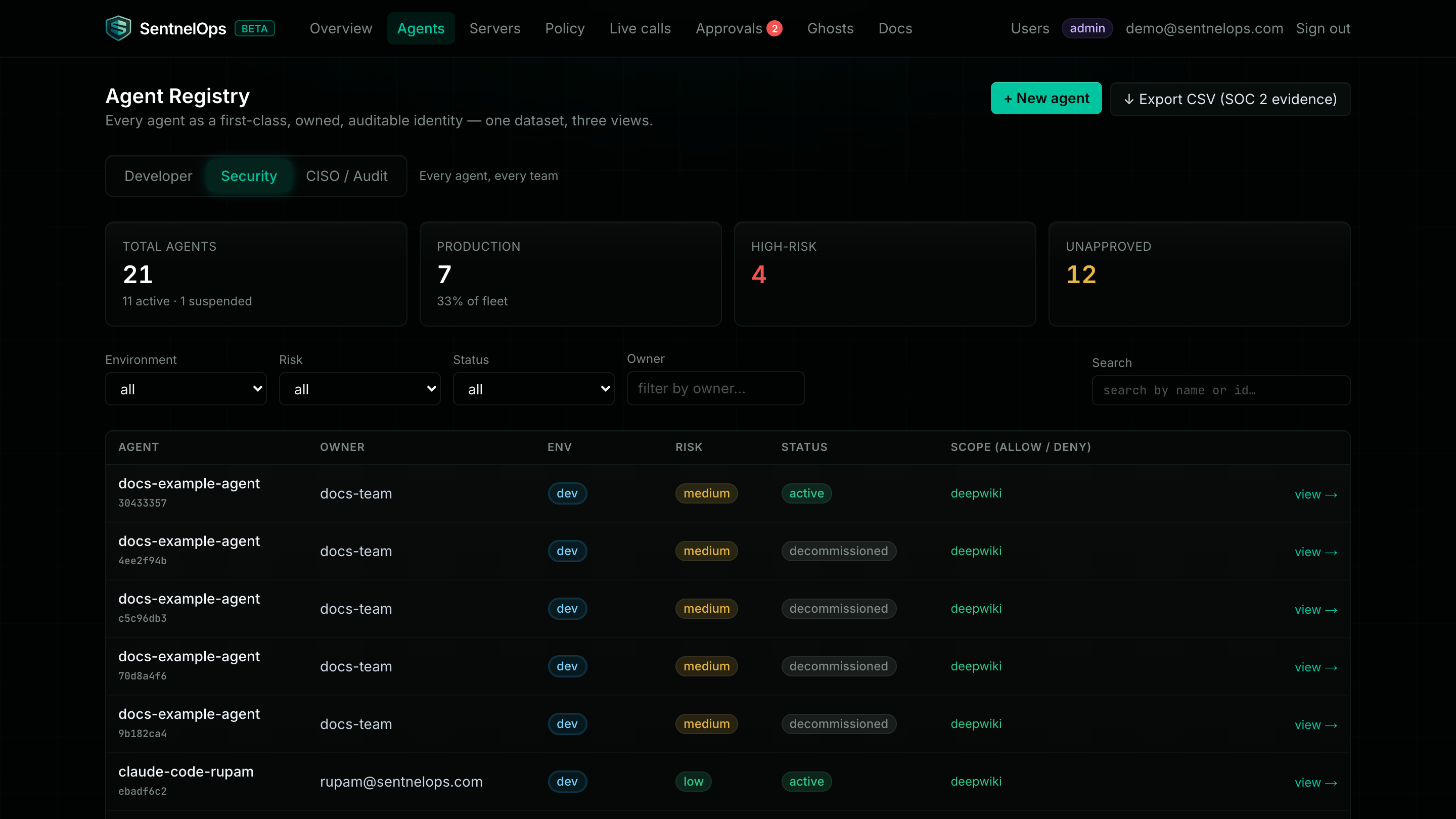
| The registry | Employee badges for AI agents | Every AI agent gets a named identity with an owner, an expiry date, and a photo-on-file equivalent. No more anonymous software wandering the building. |
| Policy + proxy | The security desk every visitor passes | All of an agent's tool calls pass one checkpoint. At first the desk only takes notes (observe mode); when you're ready, it can actually stop people (enforce mode). |
| The audit trail | A logbook written in permanent ink | Every call and every decision is written down in a log that nobody — not even an admin — can rewrite. What happened is what the book says happened. |
The four questions SentnelOps answers
| Question | Where the answer lives |
|---|---|
| Which AI agents exist in my company? | The registry — every agent, its owner, and its status, on one page |
| What is each one allowed to touch? | Policies — a written rule per agent, per tool service, per tool |
| What did they actually do? | The live call feed and the permanent audit trail |
| Can I stop one, right now? | Yes — suspend it or rotate its credential; it takes effect in seconds |
What you need to get started
Three things: a free account (a normal web signup form), about 10 minutes, and one copy-paste into your AI tool's settings. You do not change your AI, your tools, or your code — you change one address. The whole walkthrough is at Connect your AI tools.
Choose your path
| You are… | Start with |
|---|---|
| Non-technical — you want it working and visible | Connect your AI tools |
| A developer — you want the API and the mental model | Quickstart |
| A security lead — you want failure modes and honest limits before anything else | Trust & reliability, then Enforcement & approvals |