 SentnelOps
Identity guides
Four tasks you'll actually do with this layer. Every guide gives both routes: the dashboard clicks and the equivalent curl.
The curl examples authenticate with your org API key. Set it once so each command below has a single thing to fill in:
export SNOPS_API_KEY=YOUR_ORG_API_KEY # starts with snops_key_
Register an agent
Requires the developer role (or the org API key).
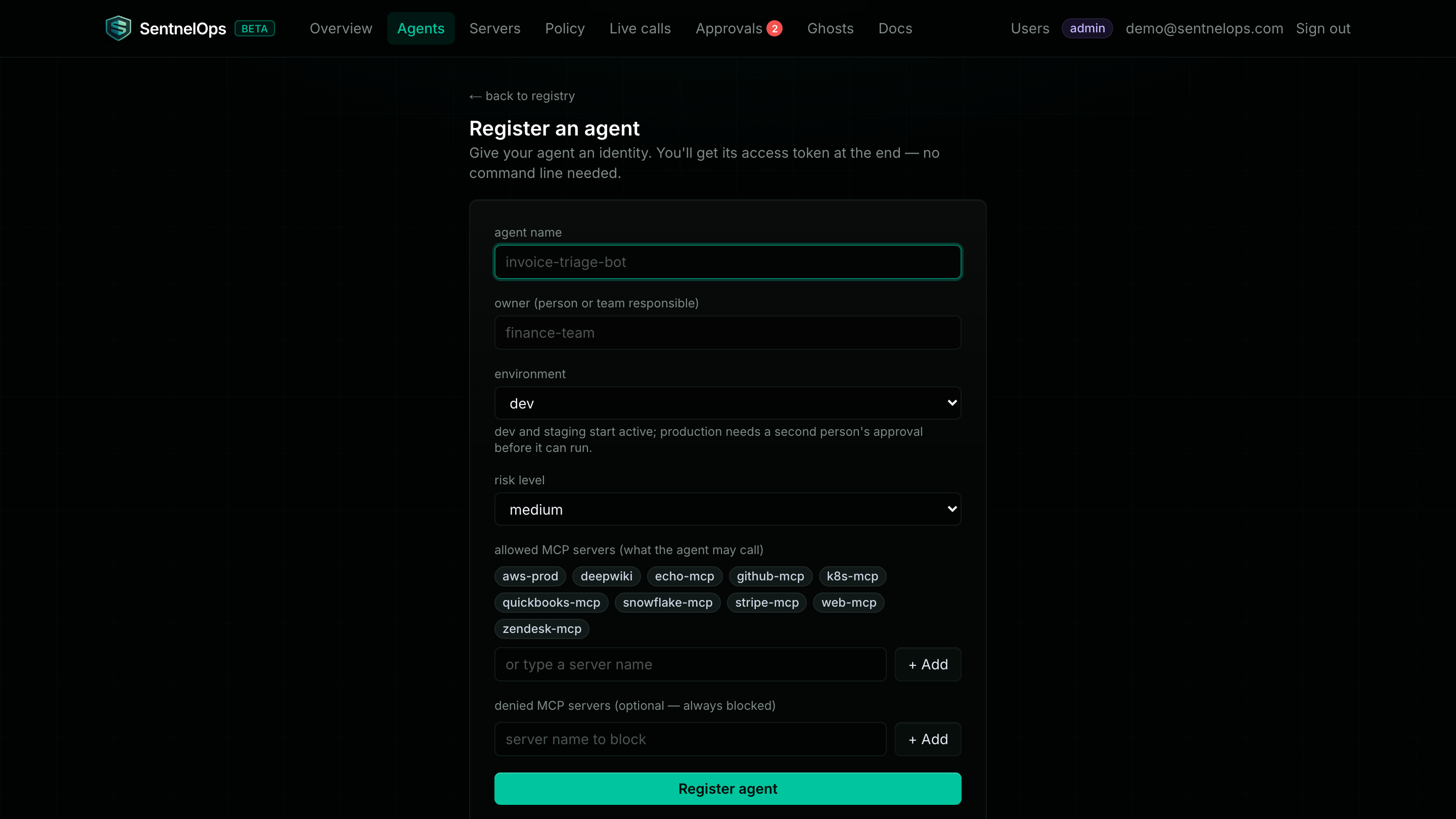
- Dashboard: open Agents → click + New agent (top right).
- Fill in name, owner, environment, and risk level; tick the allowed MCP server chips.
- Click Register agent.
dev/stagingagents start active;productionagents start as drafts awaiting a second person's approval — see Lifecycle & policy.
curl -s -X POST https://api.sentnelops.com/agents \
  -H "Authorization: Bearer $SNOPS_API_KEY" -H "Content-Type: application/json" \
  -d '{"name": "invoice-bot", "owner": "payments-team", "environment": "dev",
       "risk_level": "medium", "allowed_mcp": ["github"], "created_by": "you@example.com"}'
The 201 response contains agent (the record) and token — which brings us to the next guide.
Store and use the one-time token
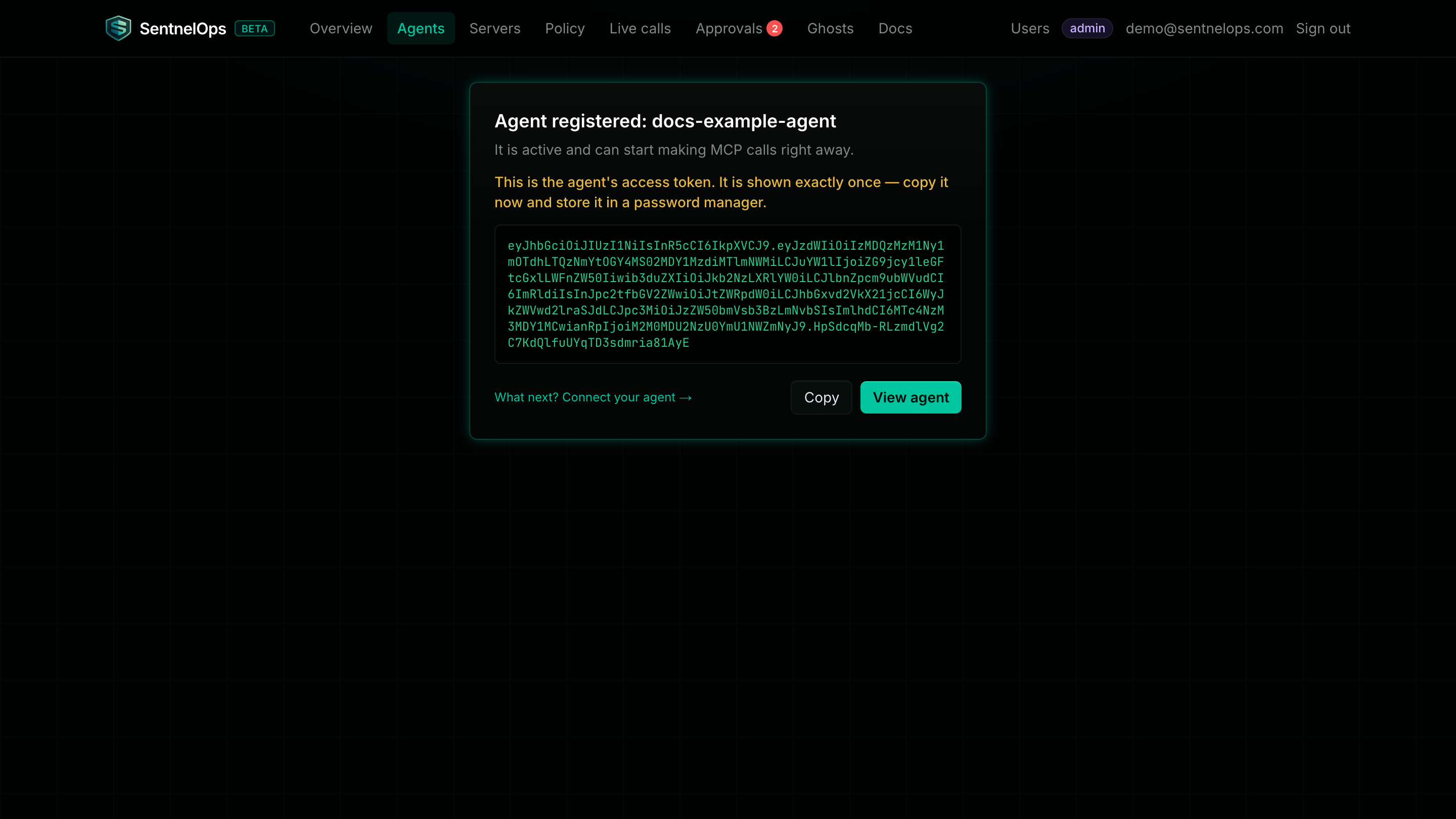
- The token appears exactly once: on the reveal screen in the dashboard, or in the
tokenfield of the register/rotate response. Copy it now. - Store it in a password manager or secret manager. SentnelOps keeps only a bcrypt hash and a SHA-256 fingerprint — it cannot show the token again.
- Give it to the agent as its
Authorization: Bearerheader on proxy calls — see Connect your AI tools for per-client config.
Rotate a credential
Requires the developer role. Rotation is the revoke-and-replace move: one call, atomic.
- Dashboard: click the agent's name in the Registry → click ↻ Rotate token. The new token is shown once, with a Copy button.
- Update the agent's configuration with the new token.
- Verify in Live calls that the agent is calling again.
curl -s -X POST https://api.sentnelops.com/agents/AGENT_ID/rotate \
  -H "Authorization: Bearer $SNOPS_API_KEY"
401 revoked agent token at the proxy within about 5 seconds (the identity cache TTL) and stays locked out until you deploy the new token. Rotate first, update config immediately after.Verify a caller's token on your own MCP server
If you run your own MCP server, you can validate SentnelOps identities yourself instead of trusting bearer headers blindly.
- Self-hosted, sharing the signing secret: verify the JWT directly with the Python SDK —
AIRClient.verify_token(token, secret)checks the HS256 signature and issuer and returns the claims (subis the agent id), or raisesjwt.InvalidTokenError. - Anyone, no secret needed: resolve the caller's public identity document. Take the
subclaim and fetch its CIMD:
curl -s https://api.sentnelops.com/cimd/AGENT_ID.json
The document contains identity metadata only — name, owner, environment, risk level, status, and allowed servers — never secrets. Unknown or malformed IDs return the same 404, so it leaks nothing about what exists. Check status before honouring a caller: a suspended agent's token still signature-verifies, but its record says it shouldn't be running.